
Planning a website
Is One Page Enough for Your Business Website?
Is a one-page website enough for your small business? Start with what customers need to know, then see when separate pages are worth planning.
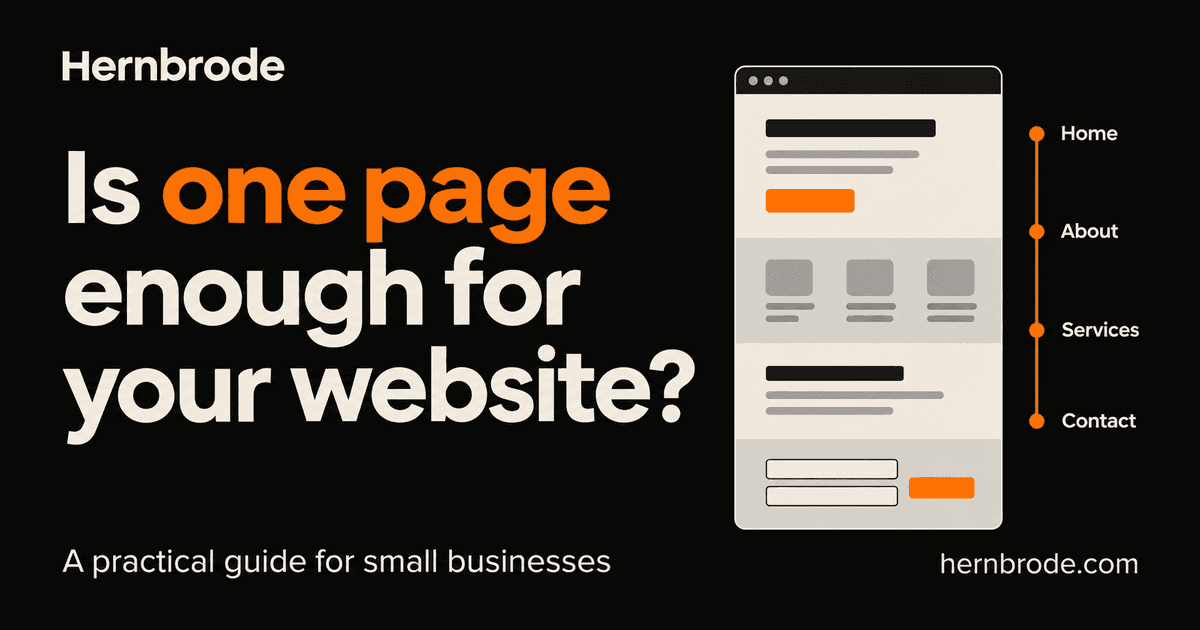
A one-page website can be a good fit for a small business with a straightforward service and a clear next step. Customers should be able to understand what you offer, decide whether it fits their needs, and contact you without having to piece the answer together.
If that takes a few well-organized sections, one page may be enough. If customers need detailed information about different services, products or locations, I’d plan for more.
Before you compare website packages by page count, write down what someone needs to know before they’re comfortable getting in touch. That will tell you more than the number of items in a navigation menu.
Start with the questions your customers ask
Think about the last few inquiries you received. What did people need explained? Which questions came up before they asked about price or availability?
For a service business, I’d start with these:
- What do you do, and who is the service for?
- Do you serve my area?
- Can I see relevant work or credible customer feedback?
- What does the work include, and how is the price determined?
- How do I contact you, and what happens after I do?
A single page can answer those questions in a sensible order. It might have an introduction, services, work examples, an about section, a few common questions and contact details. You don’t need a separate page for each heading if the information is short and closely related.
For example, imagine a solo window cleaner serving Lawton and nearby communities. If the business offers a small set of related services and quotes each job after an inquiry, a focused page could explain the work, show real photos, state the service area and invite customers to request a quote.
That’s a useful brief for a first website. It also gives you something concrete to review when the designer sends a preview.
A section is different from a separate page
A one-page website can still have a menu with links such as Services, About and Contact. Clicking one usually moves you to the relevant section on the same page.
You might see an address ending in #services. That is a section link, not a separate service page. A separate page would have its own address, such as /window-cleaning.
This matters when comparing proposals. Seven sections on one page and seven separate pages are different deliverables. Ask the designer to show you what each menu item will open.
Section links are useful for moving around a long page, but they don’t turn each section into a separate page for Google. Google’s URL guidance says Search generally doesn’t support URL fragments for changing page content. [1]
Give customers more room when the details need it
I’d consider separate pages when different visitors need substantially different information.
A business doing both residential window cleaning and larger commercial work might need to explain each service differently. Commercial buyers may want details about scheduling, building access and the quoting process. Homeowners may need a shorter explanation of what is cleaned and how to prepare. If both descriptions become substantial, separate pages can make them easier to find and read.
Other reasons to plan a larger site include a product catalog, a growing library of articles, detailed project writeups, or multiple locations with distinct hours and services. Those needs should be discussed before the design starts.
Features deserve their own conversation too. A link to an existing booking service is different from building a booking system. Showing a few products is different from providing a cart, checkout and order management. Page count alone won’t tell you whether those functions are included.
Be realistic about search visibility
A one-page website can be eligible to appear in Google Search. It still needs useful content and a setup Google can access. Google’s SEO Starter Guide makes clear that indexing is not guaranteed and there is no shortcut that automatically puts a site first. [2]
My practical recommendation is to give a service its own page when you have enough helpful, specific information to justify one. That creates a focused place to explain the service and send an interested customer. Adding pages simply to repeat the same paragraph with a different heading is not a useful goal.
For a local business, also check your Google Business Profile information if you have an eligible profile. Google advises keeping business details complete and accurate, including hours and the address customers can visit where applicable. Choosing a website layout does not replace that work. [3]
Review the page on a phone
Before approving the design, open it on your phone and try to answer the questions you wrote down at the start.
Can you tell what the business does without scrolling through a long introduction? Is the service area easy to find? Does the menu take you to the right section? Can you reach the contact details without hunting for them?
Ask the designer to check keyboard navigation and heading structure as well. W3C explains that headings communicate the organization of a page and can support navigation through assistive technology. A heading should be more than text that has been made bigger. [4]
If the page feels crowded, look at what is causing it. Some material may need editing. A detailed service explanation may deserve a page of its own. Shrinking the text to squeeze everything in is not the answer I’d recommend.
Know what the starting price covers
At Hernbrode, my one-page website is $499 one-time. It includes up to seven sections, mobile-friendly design, basic SEO setup, a contact form, copy assistance, one consolidated revision round, deployment and ownership handoff. [5]
Domain and hosting are paid separately by you. Ongoing updates and maintenance are not included, and there is no required maintenance contract. I confirm the scope before payment. [5]
If you expect to add a store, booking features, more service pages or regular articles, bring that up before choosing the starting package. Ask what can be added later and what would need a separate quote.
The right first website should give customers enough information to take the next step and fit the work your business actually needs today.
Tell me what your website needs to do
If you’re starting a business website or replacing an old one, send me a short description of your business, the services you offer and what you want customers to do on the site. We can work out whether one page fits before deciding on the scope.
Discuss your website with Raymond
Sources
- Google Search Central: URL structure best practices (opens in a new tab)
- Google Search Central: SEO Starter Guide (opens in a new tab)
- Google Business Profile Help: Tips to improve your local ranking (opens in a new tab)
- W3C Web Accessibility Initiative: Headings (opens in a new tab)
- Hernbrode: Current one-page website offer